Admin Portal — Users, Roles & Teams
Manage who's on your account and what they're allowed to do. The User Management area has four sections: Users, Teams, Invitations and Roles.
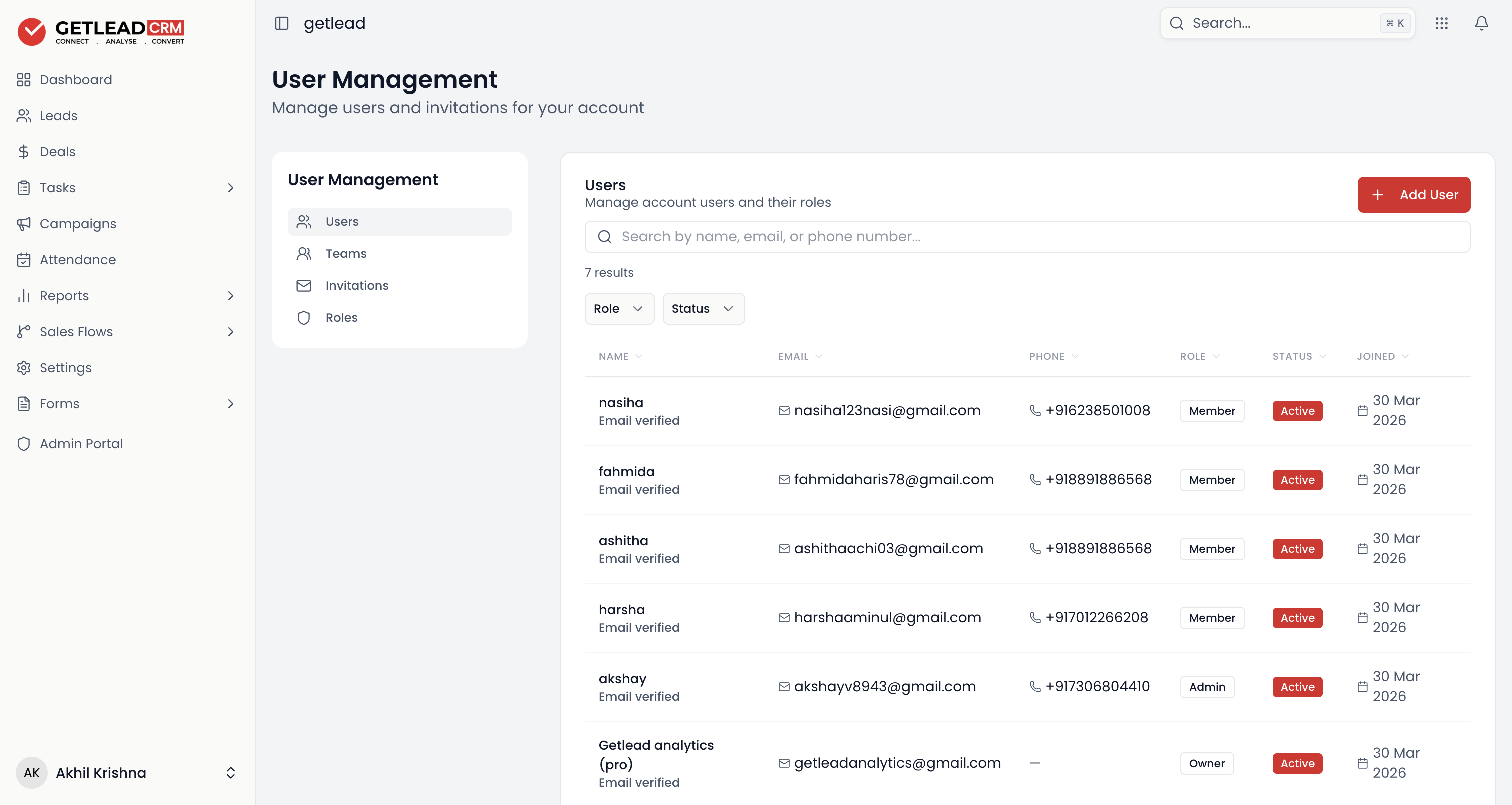
Users
Everyone on the account, with their role (Owner / Admin / Member / Viewer) and status. Invite someone with + Add User, and filter by role or status. Use the left panel to switch between Users, Teams, Invitations and Roles.
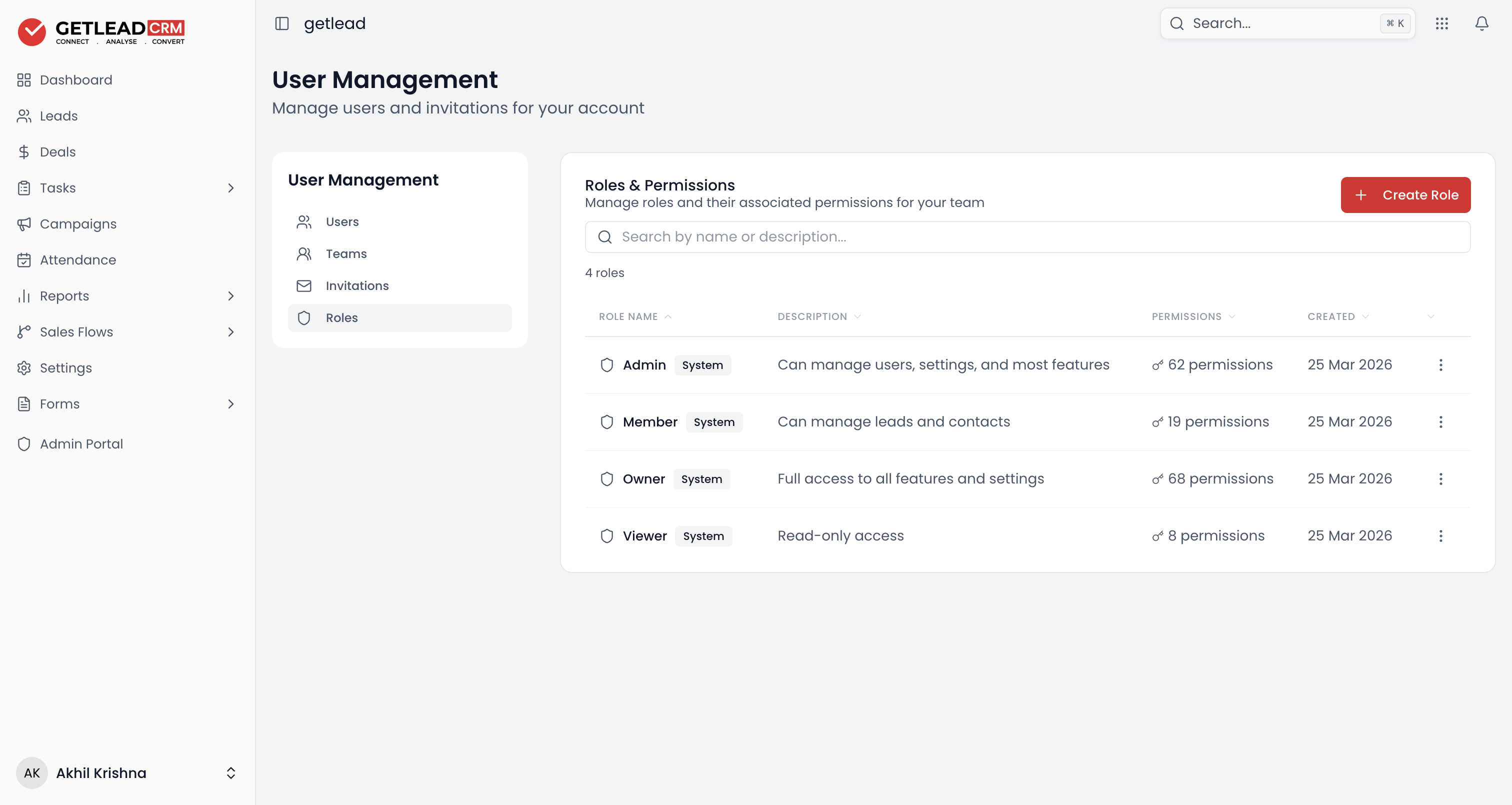
Roles & Permissions
The built-in system roles and exactly how much access each grants: Owner (full access), Admin (manage users, settings and most features), Member (manage leads & contacts), and Viewer (read-only). Build your own with + Create Role.
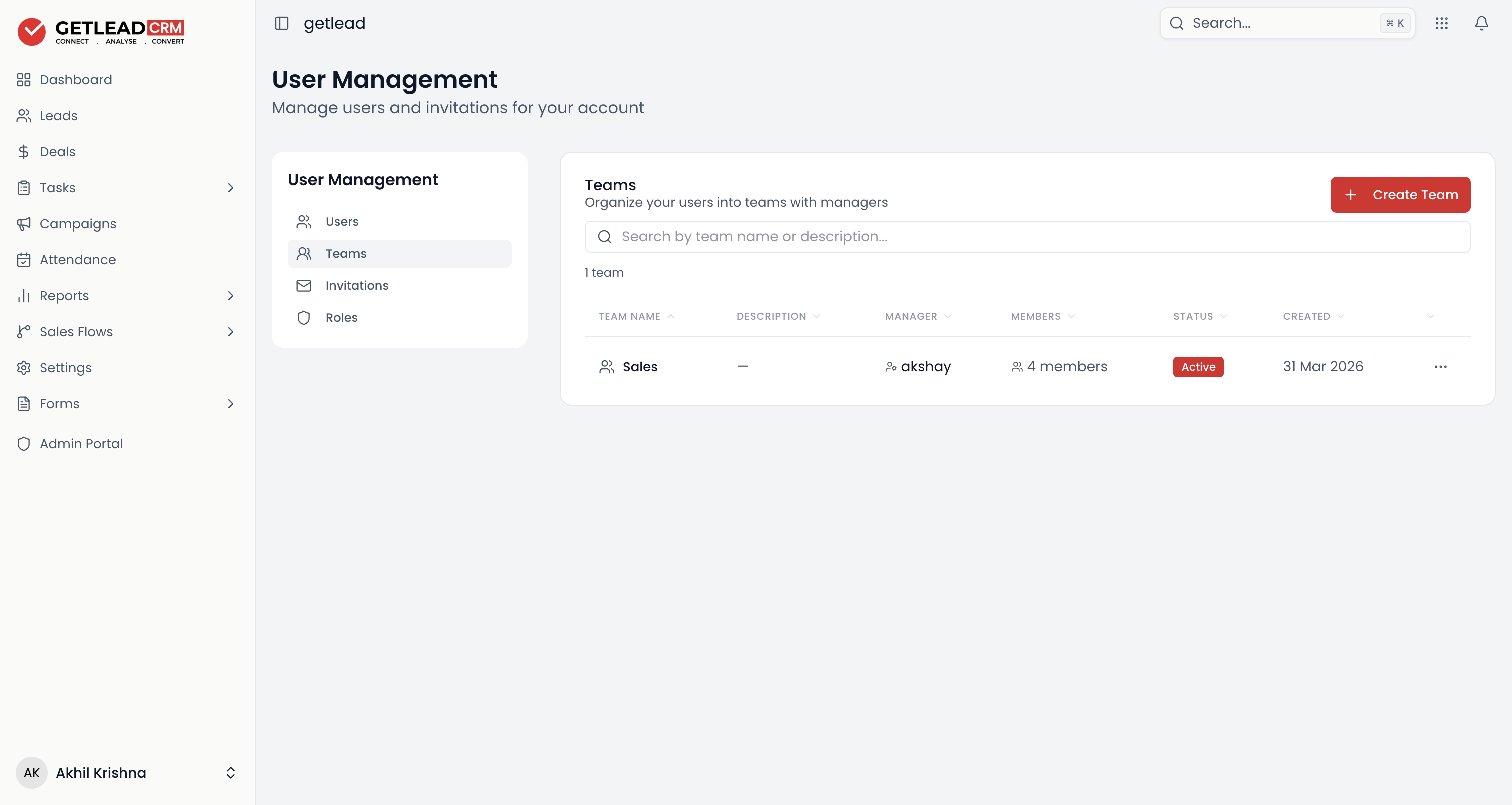
Teams
Organise users into teams, each with a manager — so assignment and visibility can follow your real team structure. Create one with + Create Team.